How to Use eBird Checklists Carefully
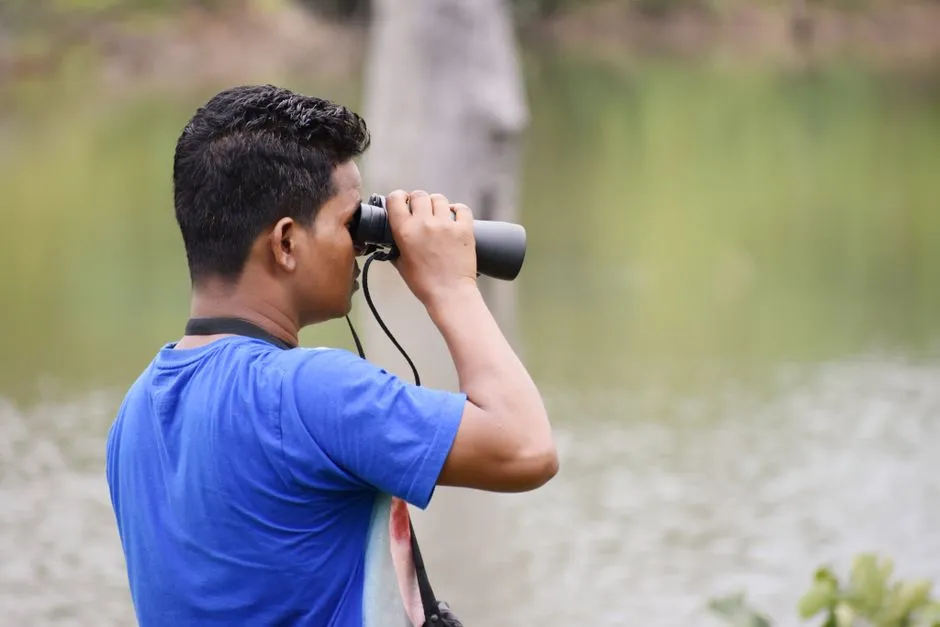
- Build the checklist around one birding event
- 1. Start a list when the birding starts
- 2. Put the checklist where you actually birded
- 3. Choose the observation type that describes the effort
- 4. Enter time, duration, distance, and observers
- 5. Count what you can without manufacturing precision
- 6. Keep uncertain birds uncertain
- 7. Answer the complete-checklist question literally
- 8. Add notes that let another person evaluate the record
- Review before you submit
- Sources
Build the checklist around one birding event
To use eBird checklists carefully, record one birding event with an accurate location, one calendar date, the correct observation type, honest time and distance, and your best counts. Report every wild bird species you detected and could identify if you mark the checklist complete. An uncertain bird can stay unidentified or use an eBird group entry; completeness does not require guessing.
The list of species is only one part of the record. Where, when, how, and how long you birded tell later users what that list represents. A tidy list with the wrong location is not improved by its tidiness. This guide follows the current eBird Help Center workflow. Button names can move, but the reporting decisions remain the same on the website and in eBird Mobile.
1. Start a list when the birding starts
If you use eBird Mobile, start the checklist at the beginning of the birding period and end it when that period ends. The app can track elapsed time and help calculate distance. If you enter the list later on the website, preserve the start time, duration, and route in field notes.
Keep one checklist to one calendar date. If a session crosses midnight, the website guidance says not to submit one checklist spanning both dates. Split the record rather than choosing the date that contains most of the minutes.
Decide who is birding with you before the list grows. eBird’s FAQ advises each birder to use an individual account and share a checklist rather than placing separate birding parties under one account. One person can maintain the group list in the field, then share the completed checklist with the other participating accounts.
The broader bird identification method is useful before and after entry: preserve what you saw and heard separately from the name you later considered. In eBird, that distinction prevents a guide image from quietly replacing the original observation.
2. Put the checklist where you actually birded
Choose the map location that best represents where you stood or traveled. eBird distinguishes public Hotspots from personal locations. A Hotspot is convenient when the entire checklist occurred within the area it represents; it is not automatically more accurate than a personal point.
The Help Center says to use a Hotspot only when the whole checklist took place within that Hotspot’s area and to choose the most specific accurate location. If you birded in your yard, on private land, or outside a public Hotspot boundary, a personal location may be the truthful choice.
Do not move the point to where the bird was. The checklist location represents the observer’s birding location. For a long route or two separated sites, consider separate checklists so each record keeps useful geographic meaning.
Before submitting, zoom in and confirm the pin. Check the road, trail, property, shoreline, and jurisdiction against your actual route. A nearby Hotspot with a familiar name can still be the wrong point.
Respect access rules while creating the record. A map marker is not permission to enter private property or a closed area. Stay on lawful access, follow site restrictions, and never approach a bird, nest, roost, or display area to make the location look more precise.
3. Choose the observation type that describes the effort
The observation type—also called a protocol—describes how the list was made. Current eBird guidance separates several common cases.
Stationary
Choose Stationary when birding was your primary focus, you know the start time and duration, and the activity stayed at one fixed location. eBird currently defines this as not moving more than approximately 100 feet (30 metres) in any direction from the starting point.
Small movements around an overlook or yard may still fit that definition. A walk along a trail does not become stationary because you stopped often.
Traveling
Choose Traveling when birding was the primary focus and you moved beyond the stationary area. Report the unique distance covered while birding. eBird says not to count retraced ground twice: an out-and-back route uses the one-way unique distance for the shared section, not the total shown by every step.
If Mobile recorded a GPS track, review its start, finish, duration, and path. A track that began in the car park before birding or continued through the drive home needs correction.
Incidental
Choose Incidental when birding was not your primary activity—for example, when a bird happened to appear while you were gardening or attending another activity. Under eBird’s current protocol, Incidental lists are automatically incomplete because the observer was not making a focused effort to record all identifiable birds.
Do not use eBird while driving. When operating a vehicle, driving requires your full attention. Record a safely observed incidental sighting later, from memory or a passenger’s notes, only to the precision those observations support.
Historical
Historical is for an earlier birding event when the date is known but some standard effort details, such as exact start time, duration, or distance, are missing. eBird advises using Stationary or Traveling for present-day lists when those effort details are available.
Do not invent a start time or route to make an old notebook fit a newer form. Missing information is part of the record.
4. Enter time, duration, distance, and observers
Use the actual start time, not the submission time. Duration is the period spent birding, excluding unrelated stops when birding was no longer the activity. Distance is the unique route covered while birding, not a fitness total and not the drive to the site.
If the party split into separate areas, those may be separate efforts rather than one shared checklist. Keep the observer count tied to the people who participated in the recorded event. Share the finished checklist with them instead of copying separate versions that disagree.
A useful field header is simple:
- date and start time;
- location or route name;
- observation type;
- start and stop time;
- unique distance if traveling;
- number of participating observers.
Write it at the beginning, then confirm it at the end.
5. Count what you can without manufacturing precision
Enter the number of individuals for each bird when possible. eBird’s counting guidance asks for a best estimate and says a numeric estimate is more useful than “X,” which records presence without abundance. The same guidance favors accurate, conservative counts over the largest plausible number.
Keep running totals during the outing. For a small group, count individuals. For a large moving flock, estimate in consistent blocks and retain that level of precision. If the flock was estimated by tens, adding three later does not make the original estimate exact; eBird explicitly warns against that kind of false precision.
Avoid counting the same individual twice within one checklist. A bird that leaves a feeder and returns may be the same bird. When identity is unclear, use a conservative total based on the greatest number present together or on distinct individuals you could separate reliably.
Do not count a sound twice because it came from two directions unless the evidence supports two birds. Your best defensible count is the goal.
6. Keep uncertain birds uncertain
Use the narrowest identification the observation supports. The site’s common backyard bird guide can help compare likely visitors, but eBird entry should follow your evidence, not your hopes.
eBird provides “sp.” entries for birds identified only to a broader group and slash options for a bird narrowed to a small set of species. Its complete-checklist guidance encourages these options when useful. If even a group identification is unsupported, leave the bird unidentified rather than selecting the closest-looking species.
An unidentified bird does not make the checklist incomplete. eBird states that a complete list does not require detecting or identifying every bird present. It requires reporting every wild bird species you did detect and identify to the best of your ability.
If the expected-species list does not show your candidate, search the full taxonomy rather than choosing a nearby name. Then document the observation. An unusual result deserves more evidence, not more confidence.
7. Answer the complete-checklist question literally
Mark “Yes” only if birding was the primary purpose and you reported every wild species you detected and could identify by sight or sound. This includes common species, introduced species, and heard-only species you were able to identify. A highlights-only list is incomplete even when every highlighted identification is correct.
Mark “No” when you intentionally left identifiable species off, recorded only a target bird, or did not make a focused attempt to notice the birds around you. “No” is an accurate description of the effort, not a failing grade.
Completeness is about the reporting process, not the length of the list. A complete checklist can contain one species. It can also contain an unknown group. Weather, habitat, time, skill, and chance all affect what appears.
8. Add notes that let another person evaluate the record
For an unusual bird, write the description made during the observation: size and shape, plumage pattern, voice, behavior, habitat, viewing conditions, and how similar species were considered. The eBird documentation guide favors detailed field observations and explanations of how alternatives were eliminated.
Attach photographs or recordings when available, but do not let media replace notes. Do not crop away all context before preserving the original file. State uncertainty plainly, including poor light, brief duration, distance, or an obstructed view.
Never flush, chase, bait, surround, or use playback to obtain documentation. Do not approach nests, colonies, roosts, display areas, or sensitive habitat. If the evidence is incomplete, submit it at the supported level or leave the bird unidentified.
Checklist comments should describe the event; species comments should support that species entry. Avoid copying a field-guide description that you did not observe. A perfect description written after the fact is less useful than an imperfect but contemporary note.
Review before you submit
Read the checklist once as a record rather than as a souvenir:
- Does the map point represent the whole birding area?
- Is there one correct date and actual start time?
- Does the observation type match what you did?
- Are duration and unique traveling distance honest?
- Are counts conservative and free of known double-counting?
- Are uncertain birds entered only as precisely as the evidence permits?
- Does the complete/incomplete answer match what you reported?
- Are unusual sightings documented from field observations?
Submit after those answers agree. If you notice an error later, eBird’s website guidance says submitted checklists can be edited through the checklist-management area. Correcting a record is part of maintaining it, not an admission that the original outing has been revoked by committee.
A careful eBird checklist is delightfully unglamorous: one place, one date, one effort, honest counts, and no species forced past the evidence. That plain structure is what lets a private afternoon become useful shared data.
Sources
- eBird Help Center: Get Started With eBird
- eBird Help Center: Choosing and Managing Locations
- eBird Help Center: eBird Protocols
- eBird Help Center: How to Count Birds
- eBird Help Center: Complete Checklists and Birding as Your Primary Purpose
- eBird Help Center: Frequently Asked Questions
- eBird Help Center: Enter Sightings on the eBird Website
- eBird Help Center: How to Document Your Sightings
- American Birding Association: Code of Birding Ethics